

Enable notifications
Notifications do not need to be switched on: they are sent automatically when a user holds a role on an action. What you have to do is make sure the person is a user and holds a role.
1. The person must exist in the project
Section titled “1. The person must exist in the project”Add the profile under the People menu of the project.
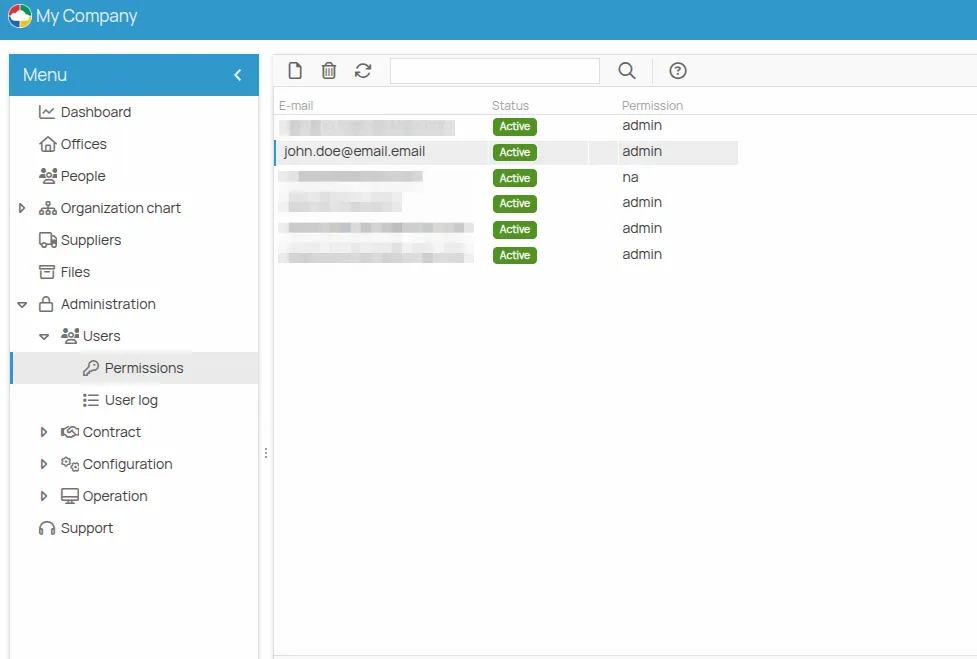
2. The person must be a user with a role
Section titled “2. The person must be a user with a role”Assign them a project permission and a role other than “na” in the Permissions menu — see Set permissions.
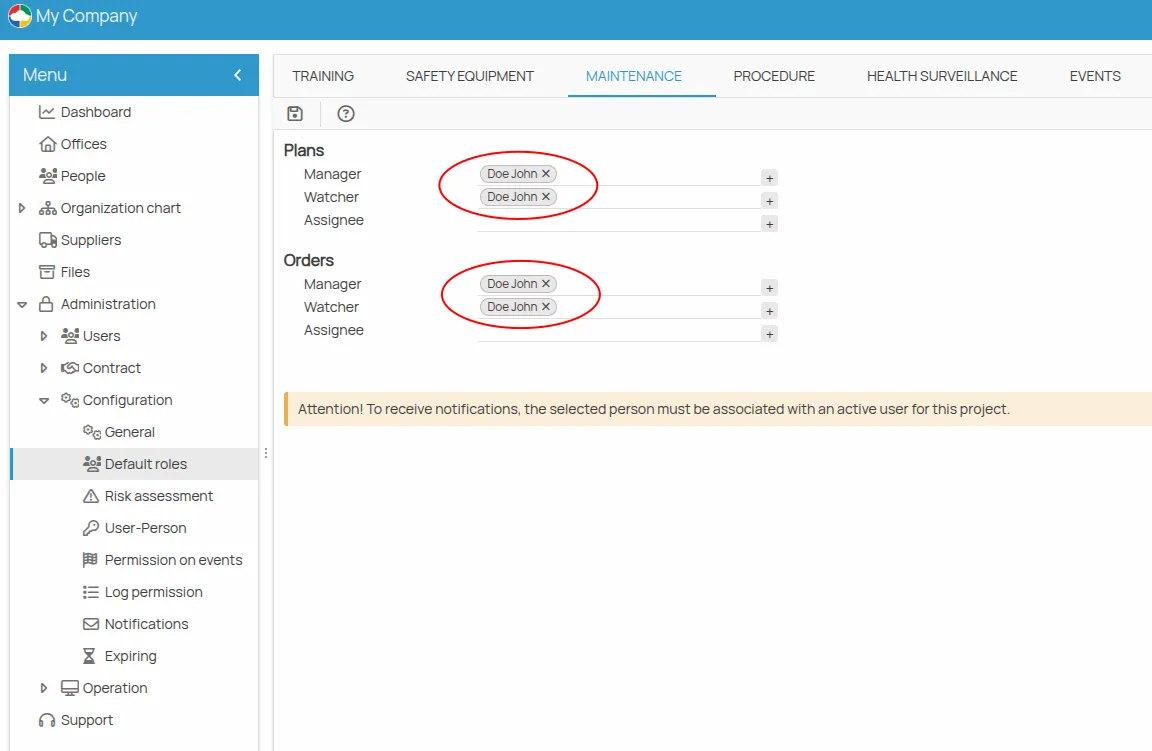
3. The user must hold a role on the actions
Section titled “3. The user must hold a role on the actions”Associate the user, or a safety role, with the actions as Manager, Observer or Assignee. Everyone registered as a recipient is considered a Recipient.
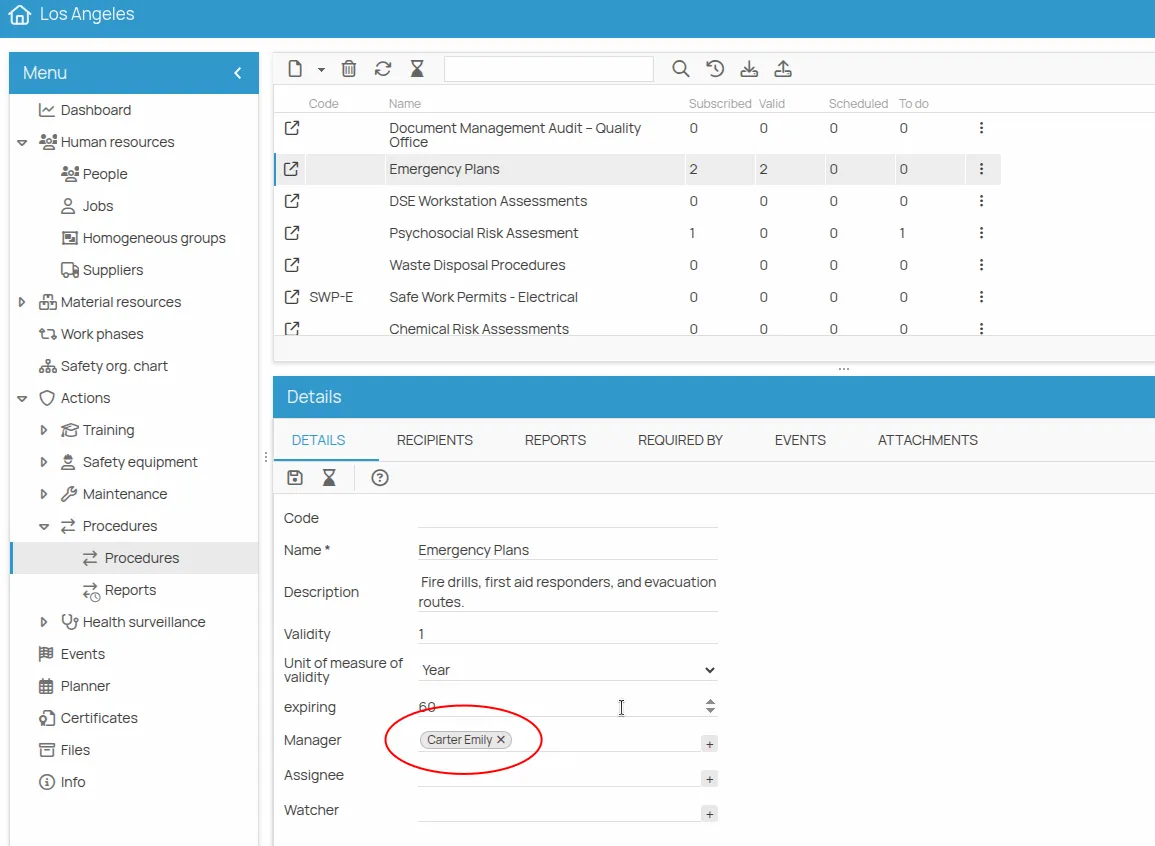
You can also assign roles on a single action instead of a whole area — for example, making someone the manager of the “Emergency plans” procedure at one office only. That is done in the action details: see Manage an action.
To receive a periodic summary instead of single messages, see Configure the digest. configuration is needed to make them work — customising them is optional.
Customise when they arrive
Section titled “Customise when they arrive”Customising notifications is optional, and is a project-specific setting: each project can define its own rules. It only affects how notifications are received, never whether they are sent.
They are configured from Administration → Configuration → Notifications.
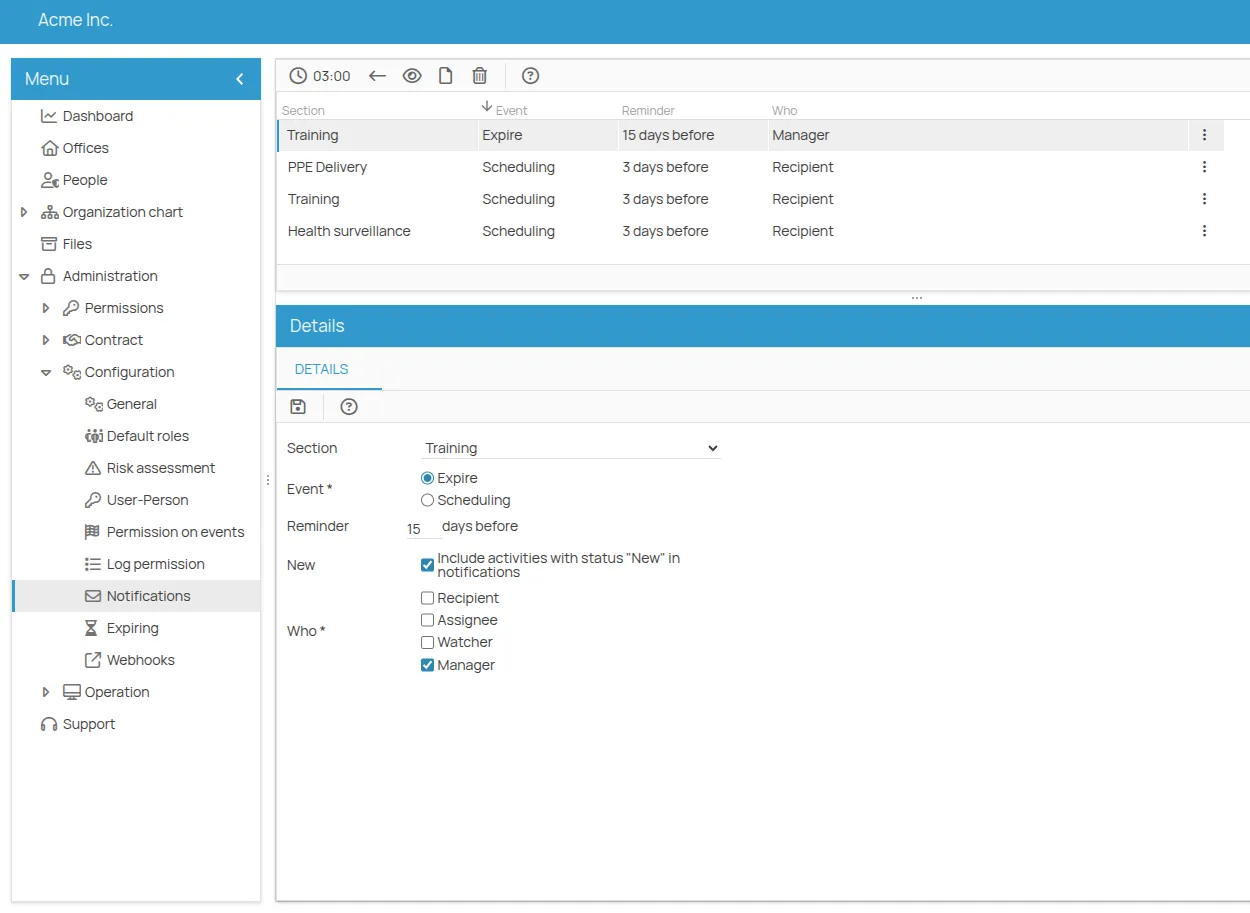
| Parameter | What it does |
|---|---|
| Section | The area the notification concerns: PPE, training, appointments, maintenance, procedures, health surveillance. |
| Event | Based on the expiry date of the latest valid record, or on the date of the next scheduled session. |
| Role | The user’s role on the action: Manager, Observer, Assignee, Recipient. Everyone registered is considered a Recipient. |
| Interval | The time range used for the calculation. |
| New | Includes records with status “New”, treating them as activities to regularise. Only available when the “Expiry” event is selected. |
| When | A lead or delay time, in days, relative to the interval. |
This site is protected by reCAPTCHA and the Google Privacy Policy and Terms of Service apply.