

Deliver several PPE items at once
When a worker receives several devices at the same time — on hiring, on a change of role, or because the equipment is worn — this guided procedure records them together and produces a single delivery record signed by the worker.
It runs in two steps: first you select what to deliver, then you collect the signature.
Start the procedure
Section titled “Start the procedure”- Open the worker detail page.
- From the toolbar, click the Wizards menu and select Multiple PPE delivery.
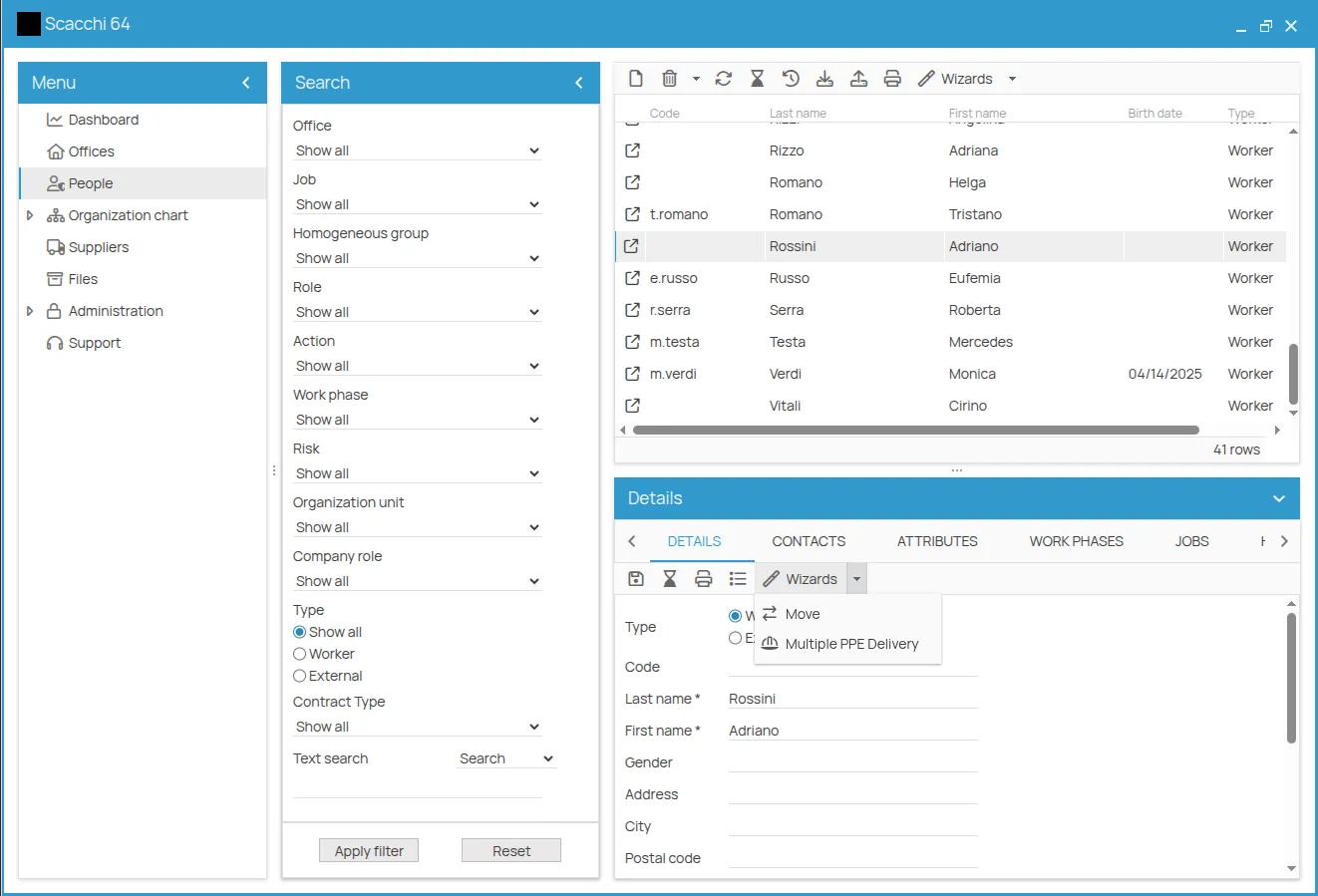
Step 1 — Select the assignments
Section titled “Step 1 — Select the assignments”The table lists the PPE assignments currently active for that worker. For each one you want to deliver:
- Tick the checkbox in the first column: the fields of that row become editable.
- Check or change the inventory entry, the expiry date of the new certificate and the quantity (1 by default).
- If the worker is handing back the previous device, tick Return.
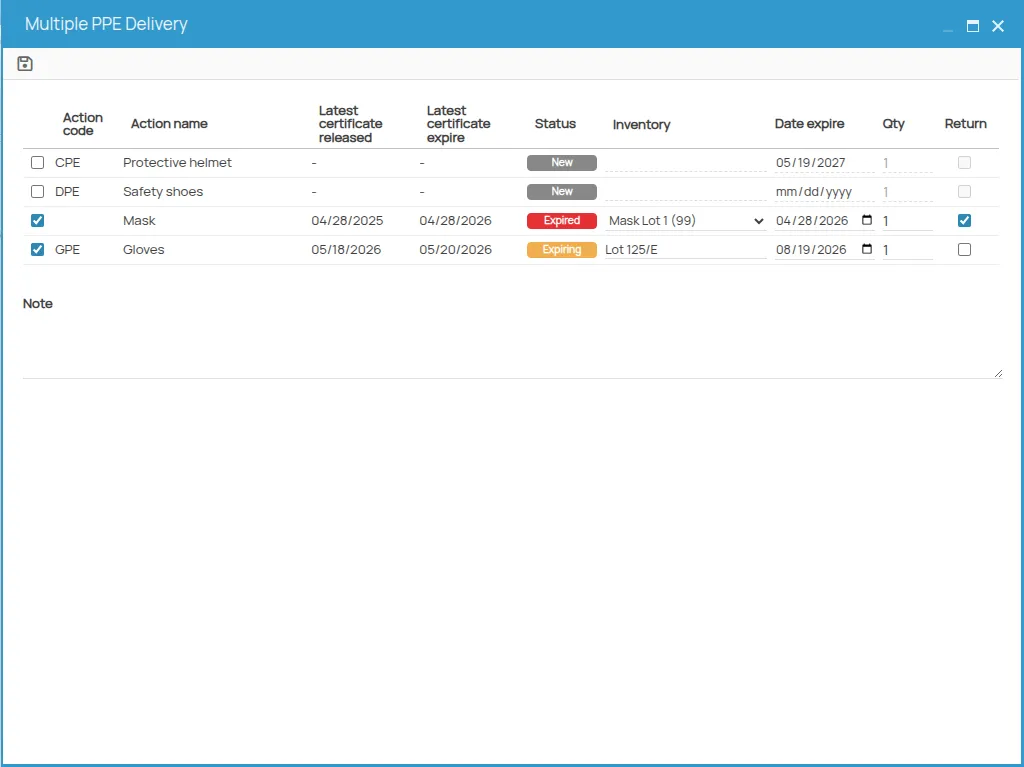
Use the Notes field below the table for anything that should appear on the record; it is reported there read-only.
When you are done, click Save in the toolbar to move to step 2.
Step 2 — Record and signature
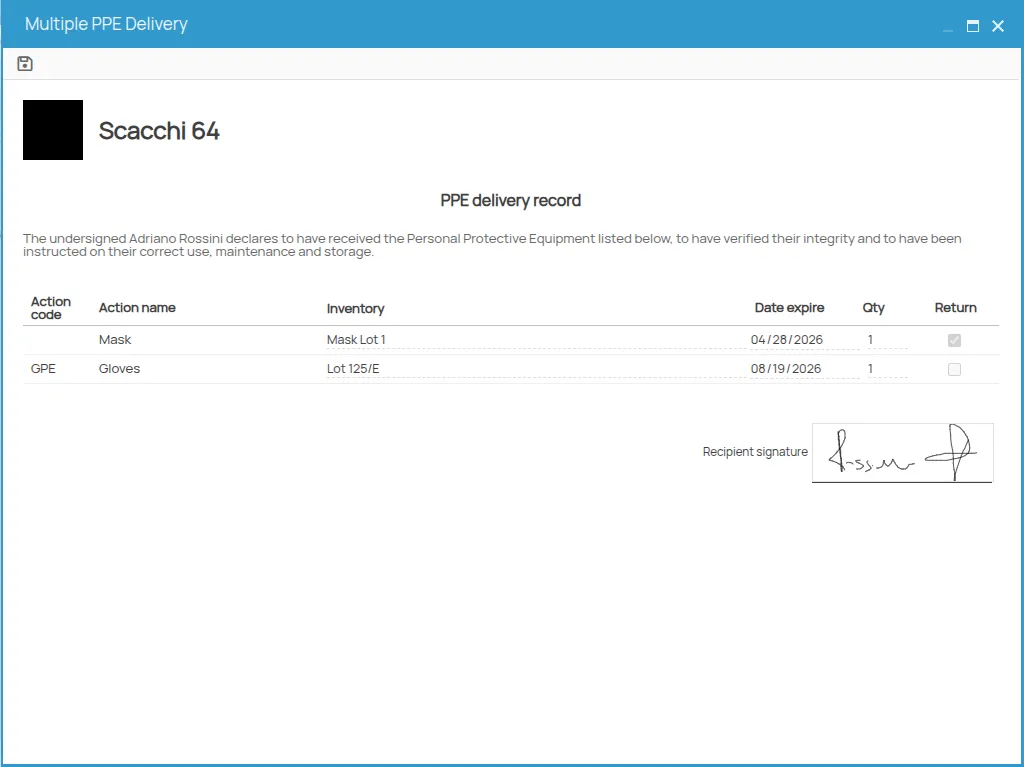
Section titled “Step 2 — Record and signature”Step 2 shows the delivery record to be signed: title, summary of the deliveries, any notes, and the space for the recipient’s signature.
Once the signature has been placed, click Save again. 4HSE asks in which folder to store the signed document, and on confirmation creates automatically, for each selected assignment:
- a delivery certificate, issued today with the expiry shown on the row;
- the link between the certificate and the PPE assignment;
- the signed record, attached to the certificates produced.
If the delivery is linked to an inventory entry, the stock is decremented by the quantity indicated.
This site is protected by reCAPTCHA and the Google Privacy Policy and Terms of Service apply.