

Upload a file
The procedure is the same at both levels: what changes is where the document will be visible — see Files and attachments.
At project level
Section titled “At project level”- Open the project menu and select Files.
- Select the target folder.
- Click New and choose New file, or drag the file into the folder.
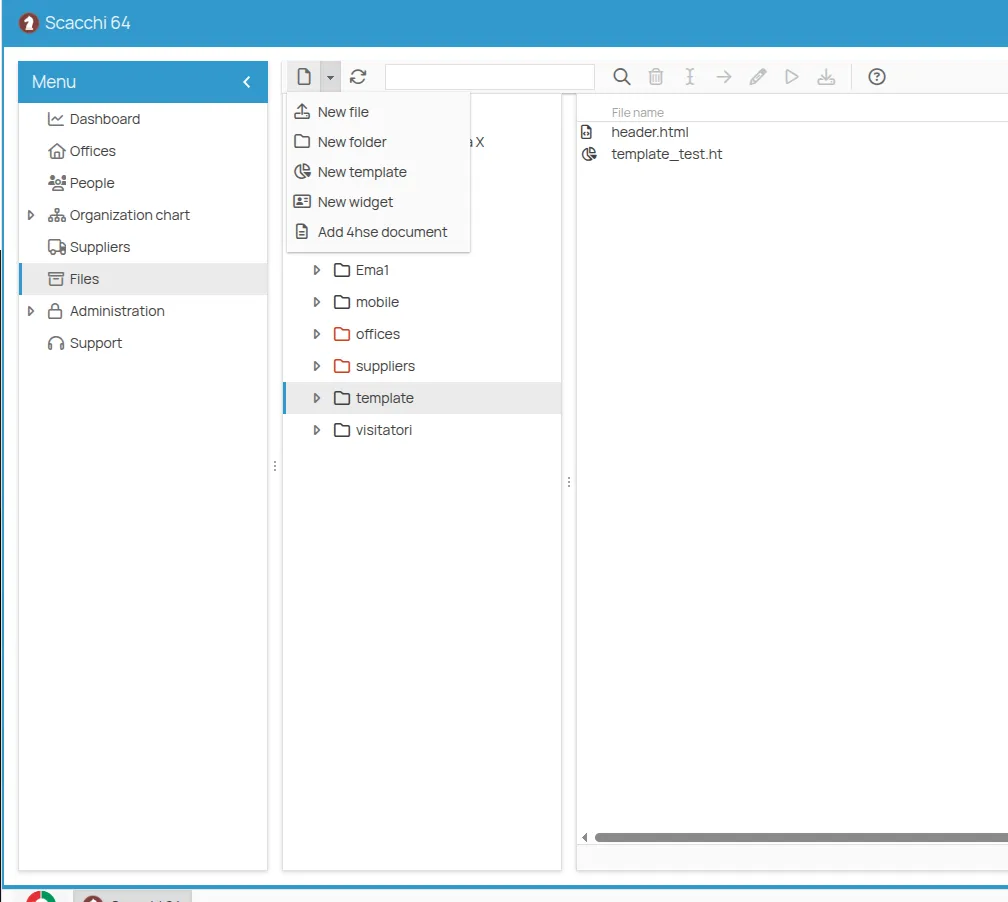
Inside an office
Section titled “Inside an office”-
Open the office menu and select Files.
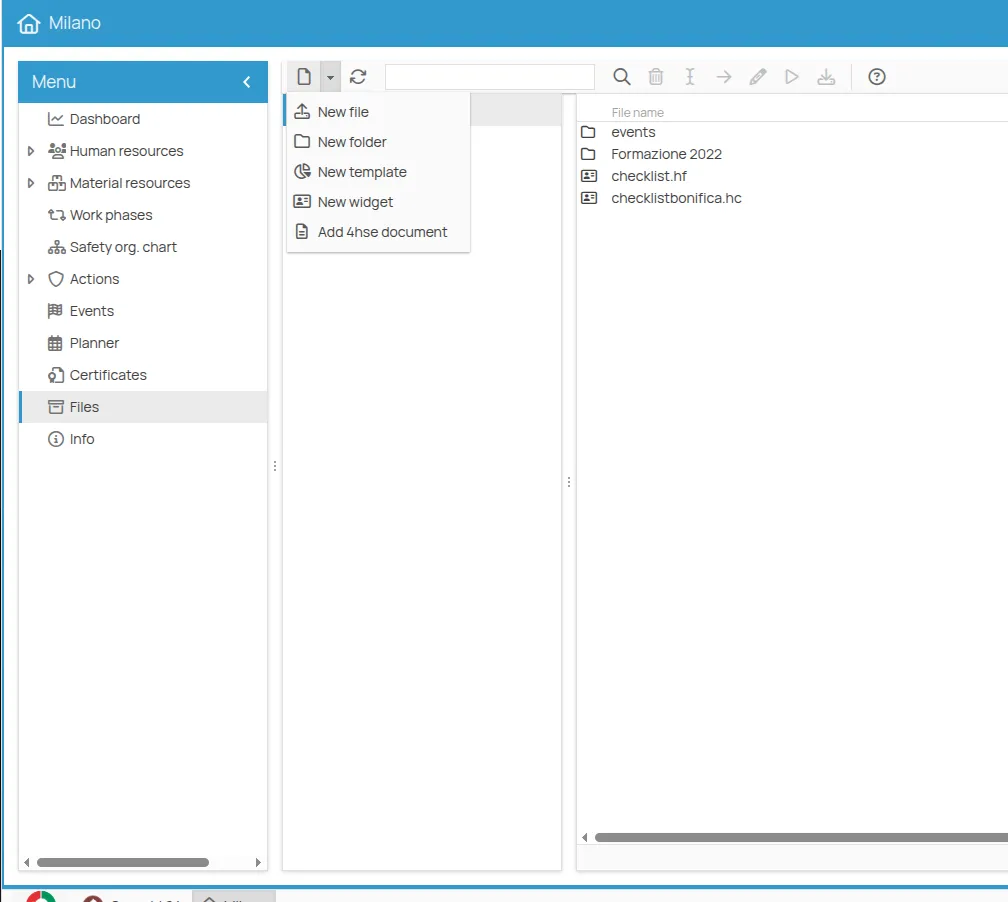
-
Select the target folder.
-
Click New and choose New file, or drag the file into the folder.
This site is protected by reCAPTCHA and the Google Privacy Policy and Terms of Service apply.