

Print a worker's badge
The printed badge is a credit-card-sized card (CR80, 85.6 × 54 mm). See Electronic badge.
- Open the person’s window and stay on the Details tab.
- Click the Print icon (a printer) in the toolbar.
- In the Template tab, choose Worker badge (QR) and click Next.
- In the Preview tab, check the badge, then print it or save it from the Save as tab (see Print or export a document).
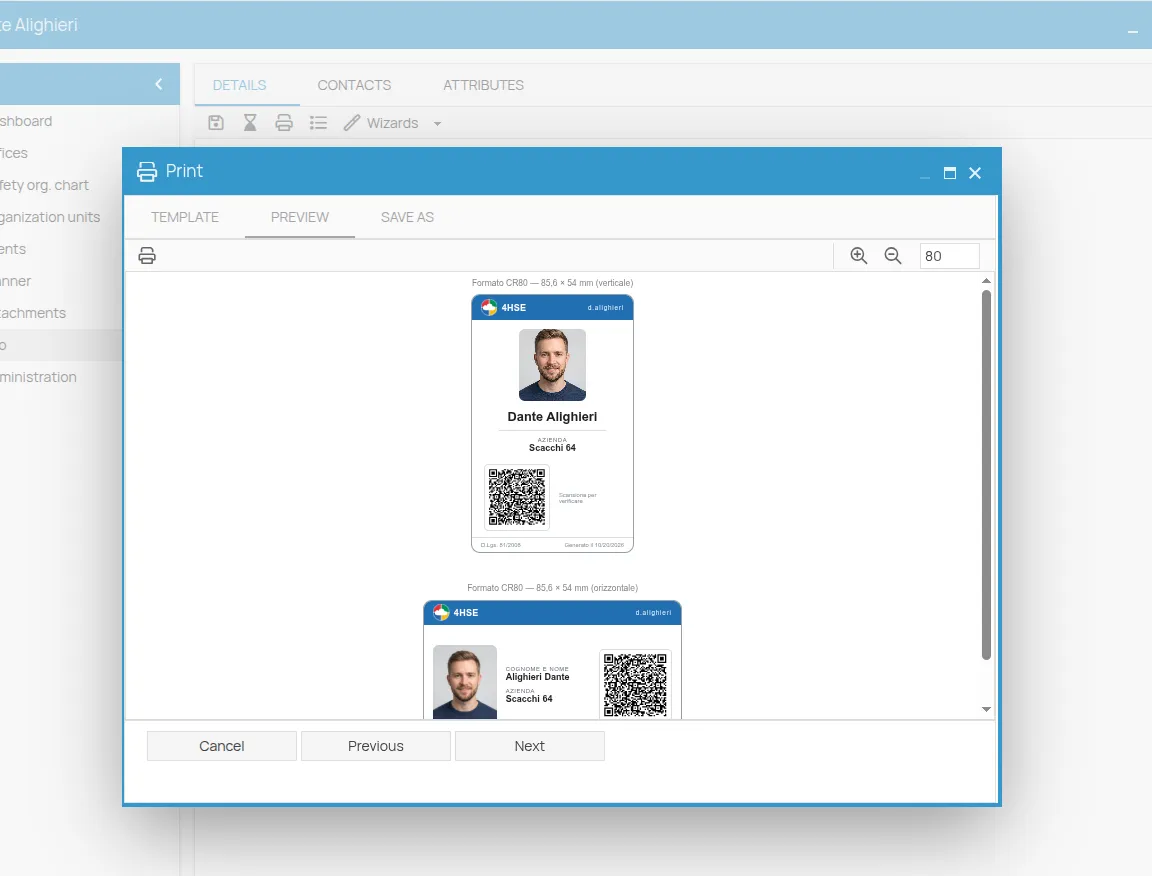
The page holds two cards to cut out, one portrait and one landscape. Each shows:
- the worker’s code, photo and name;
- the company;
- the verification QR code, labelled Scan to verify;
- the date it was generated.
The photo is the one uploaded on the person’s record. Without a photo the badge is printed anyway.
The QR code stays valid for two years from printing. After that, a new badge has to be printed. The status seen by whoever scans it is always the status at the moment of scanning: a printed badge does not go out of date when the worker’s certificates change.
This site is protected by reCAPTCHA and the Google Privacy Policy and Terms of Service apply.