

Use the course attendance register
The course attendance register is specific to training actions. Unlike a checklist it needs no content configuration: 4HSE generates the structure and loads the enrolled participants by itself.
Activation
Section titled “Activation”The course is in the office menu, under Actions → Training → Courses.
- On the course, configure a new form.
- Choose Course attendance register as the type.
- Save.
From this moment the register is associated with every session of that course, and imports the list of the workers enrolled in each one.
Filling it in during the session
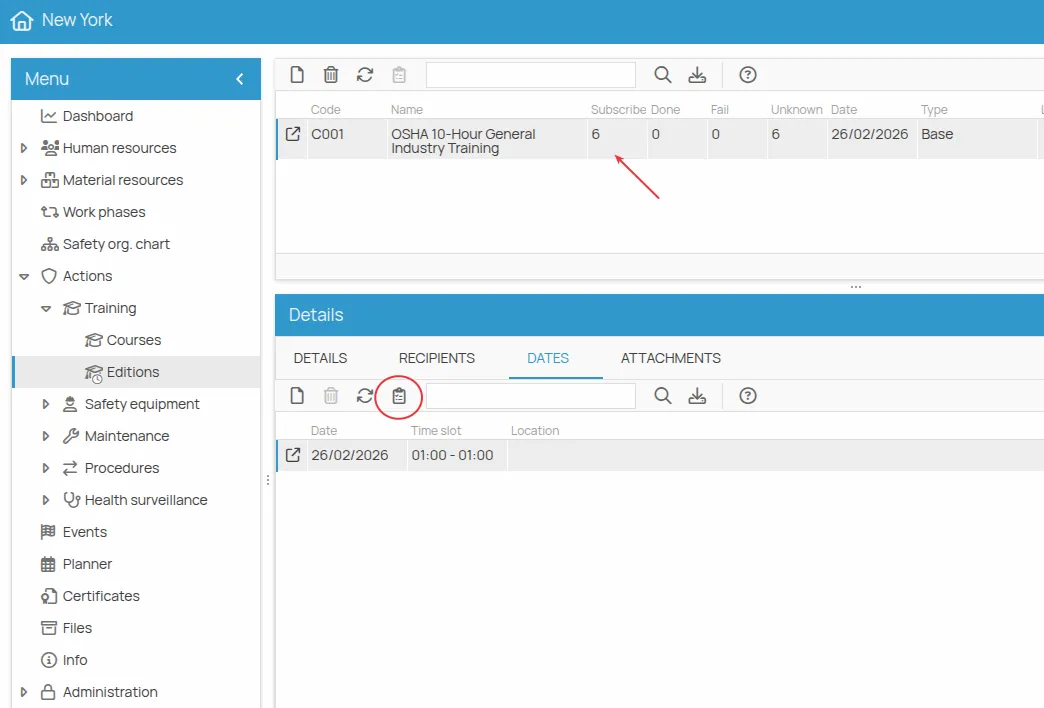
Section titled “Filling it in during the session”- Go to the Sessions section of the training courses.
- Find the session the register belongs to.
- Select the session date in the DATE tab.
- Click Run.
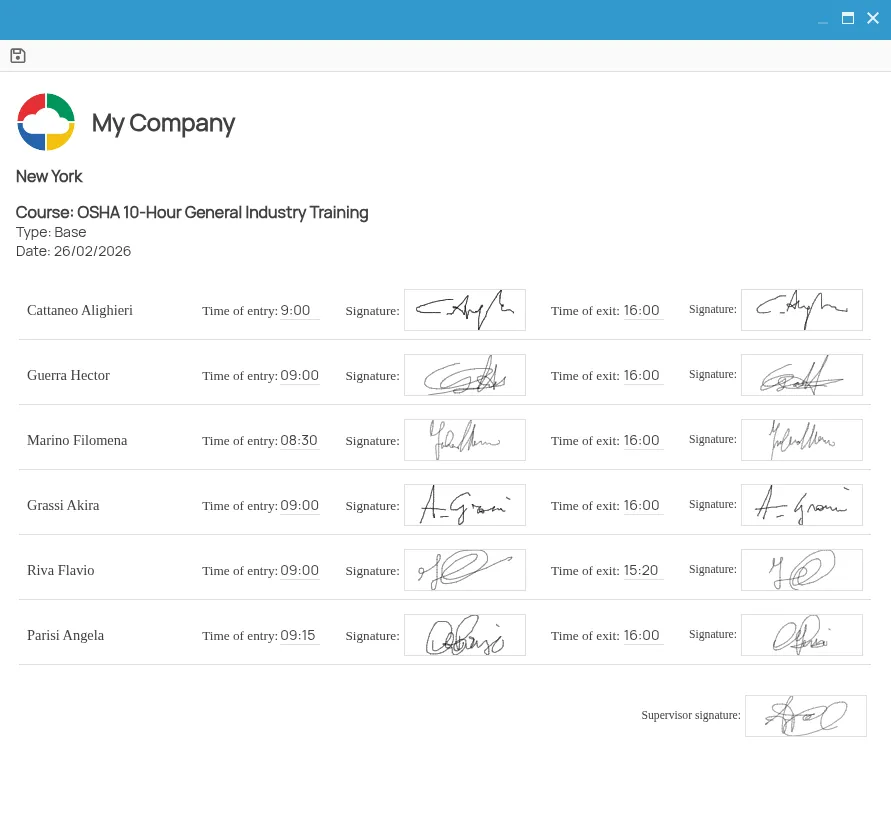
The register opens with the names preloaded. The person in charge records attendance in real time, including entry and exit times and the participants’ signatures.
Where the saved register ends up
Section titled “Where the saved register ends up”Once saved, the register becomes a document attached to the session date:
- Open the session date detail with a double click.
- Go to Attachments, where the generated
.htmlfile is available.
This site is protected by reCAPTCHA and the Google Privacy Policy and Terms of Service apply.