

Add recipients to an action
Recipients are who — or what — is subject to the obligation. Who can be a recipient depends on the type: see Terminology by action type.
The action is in the office menu, under Actions, in the submenu of its type.
- Select the action and open the Recipients tab.
- Click New.
- Select the recipients. Hold Shift to select several at once.
- Click Save.
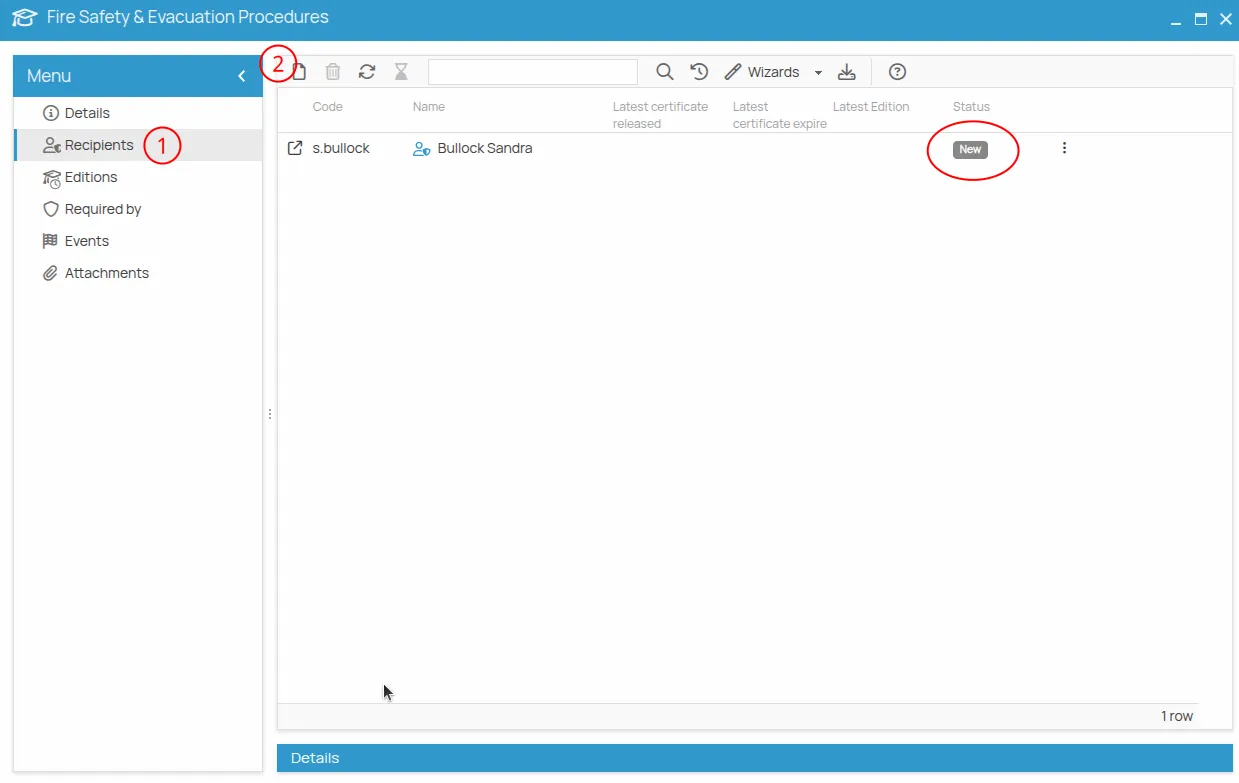
Each recipient appears with a status:
- New — subject to the obligation, but nothing has been recorded yet;
- Valid or Expired — according to the dates of the certificates already registered;
- Expiring — the expiry is approaching, within the notice period set in the Expiring field of the action.
A recipient stays New until a session is recorded or a certificate is registered. For what each status means and what it is derived from, see Statuses. Adding people here does not schedule anything: it declares who is concerned. The scheduling is a separate step, Schedule a session.
This site is protected by reCAPTCHA and the Google Privacy Policy and Terms of Service apply.