

Set default roles for new actions
If the same people are responsible for whole areas of prevention, you can assign the roles once instead of repeating them on every action.
- In the project menu, go to Administration > Configuration > Default roles.
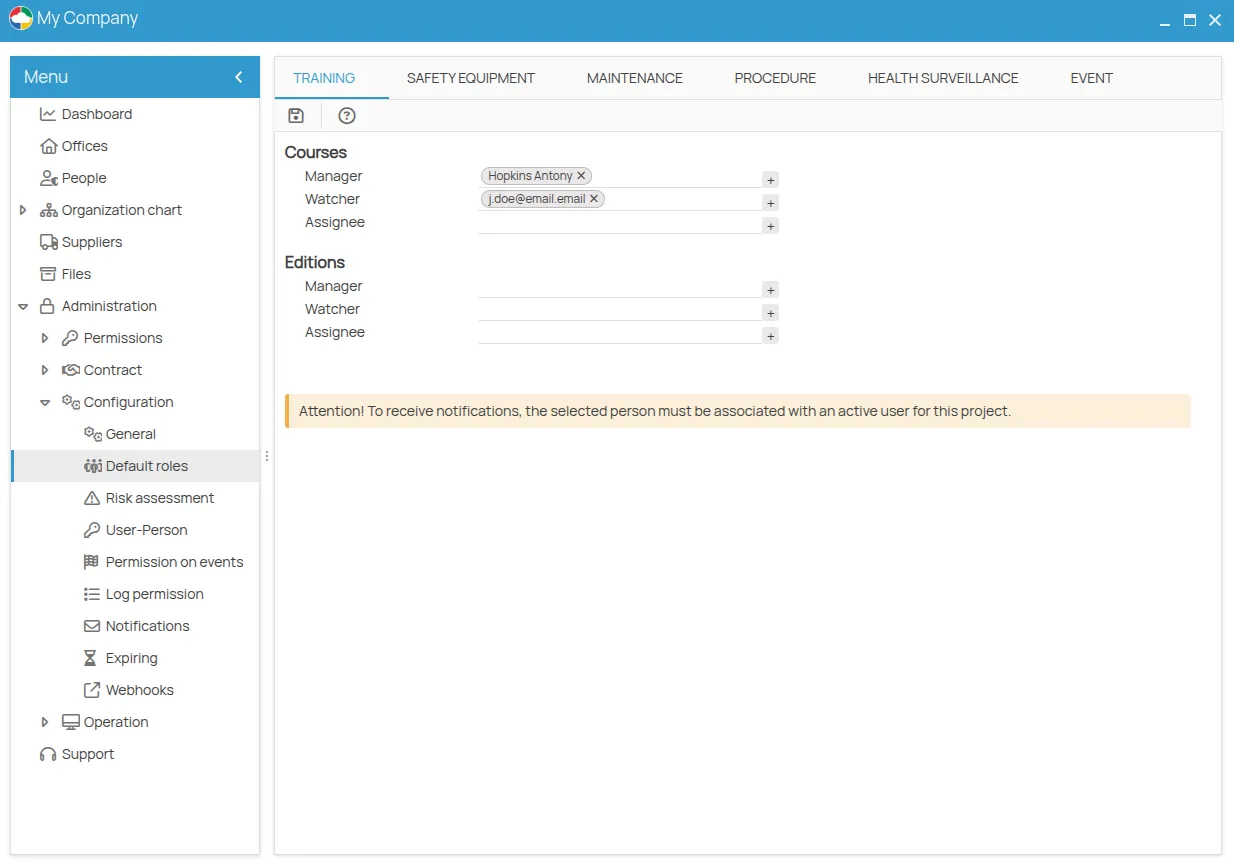
- people registered in the project;
- project users, by email.
- Save.
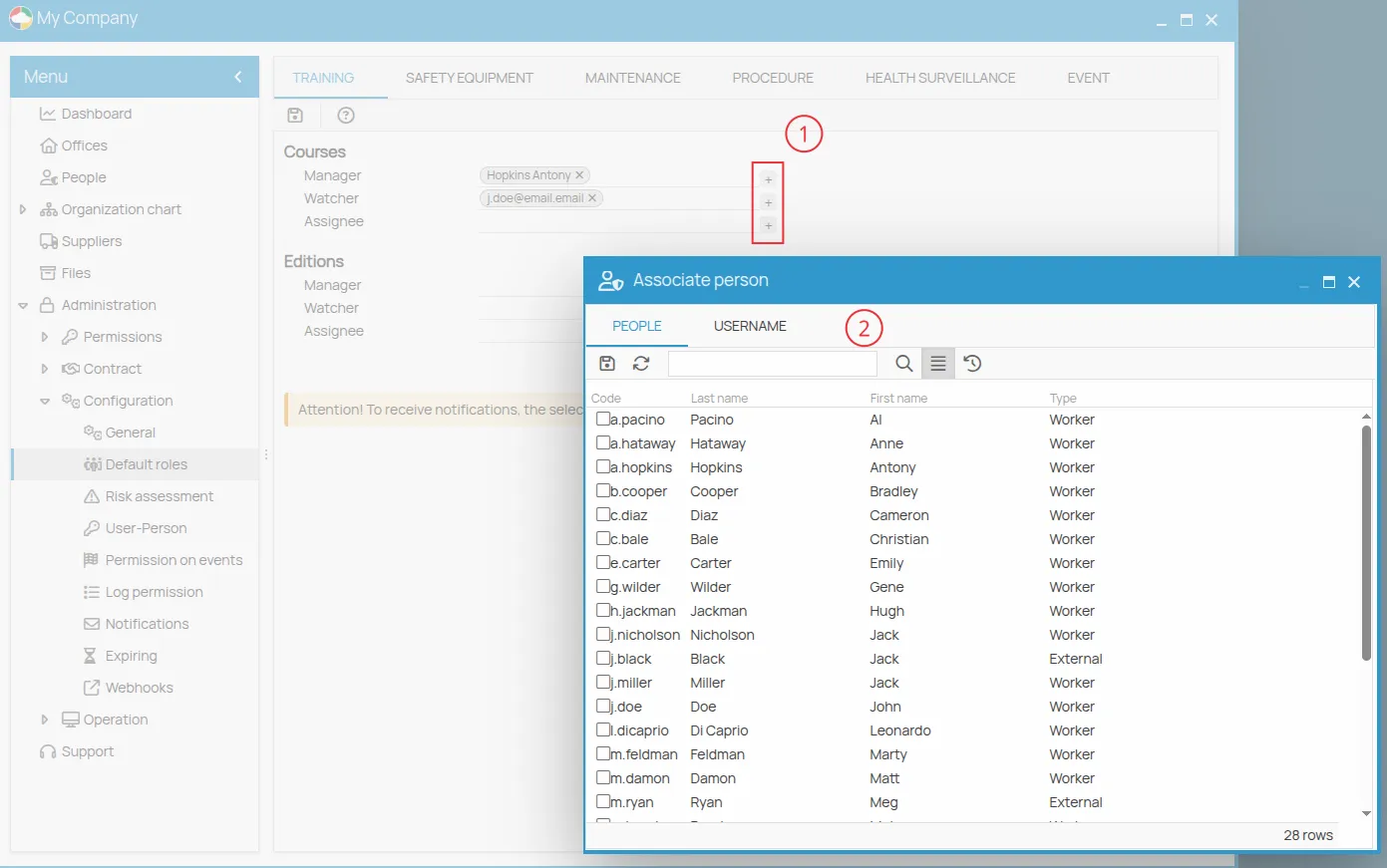
Roles can be defined separately for the two levels — the action and its session — in every prevention area. The correspondence between the two levels and the name each area uses is in Terminology by action type.
Override on a single action
Section titled “Override on a single action”- Select the specific action or session.
- Open the Details panel.
- Change the Manager, Observer or Assignee fields.
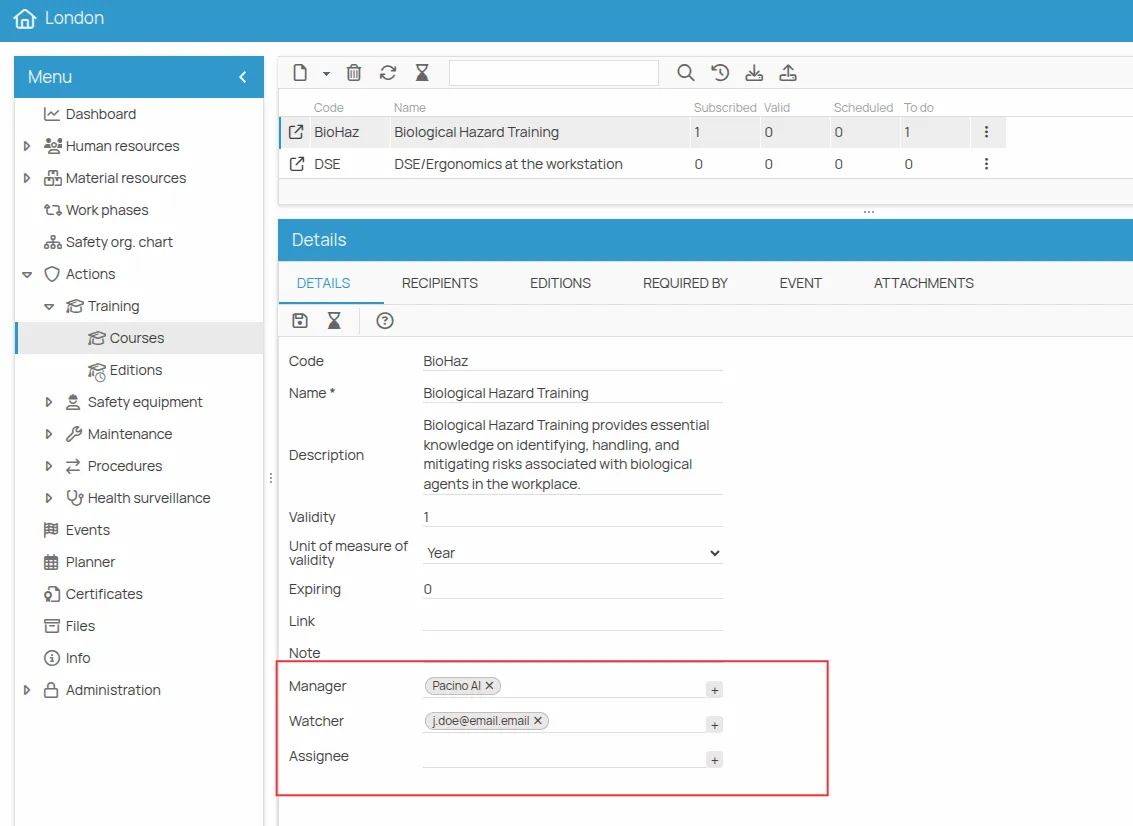
The change applies only to that item. See Manage an action.
This site is protected by reCAPTCHA and the Google Privacy Policy and Terms of Service apply.