

Scheduler filters and columns
Filters
Section titled “Filters”All the filters can be combined to narrow the result.
| Filter | Values |
|---|---|
| Type of action | Training · Maintenance · Procedures · Health surveillance · PPE · Documents |
| Status | Expired · Expiring · New · Valid · Revoked · Rejected |
| Date range | Last session of an action · Next session · Expiry date |
| Text search | Action name · Recipient name |
In the desktop scheduler, two more filters let you search across offices and projects.
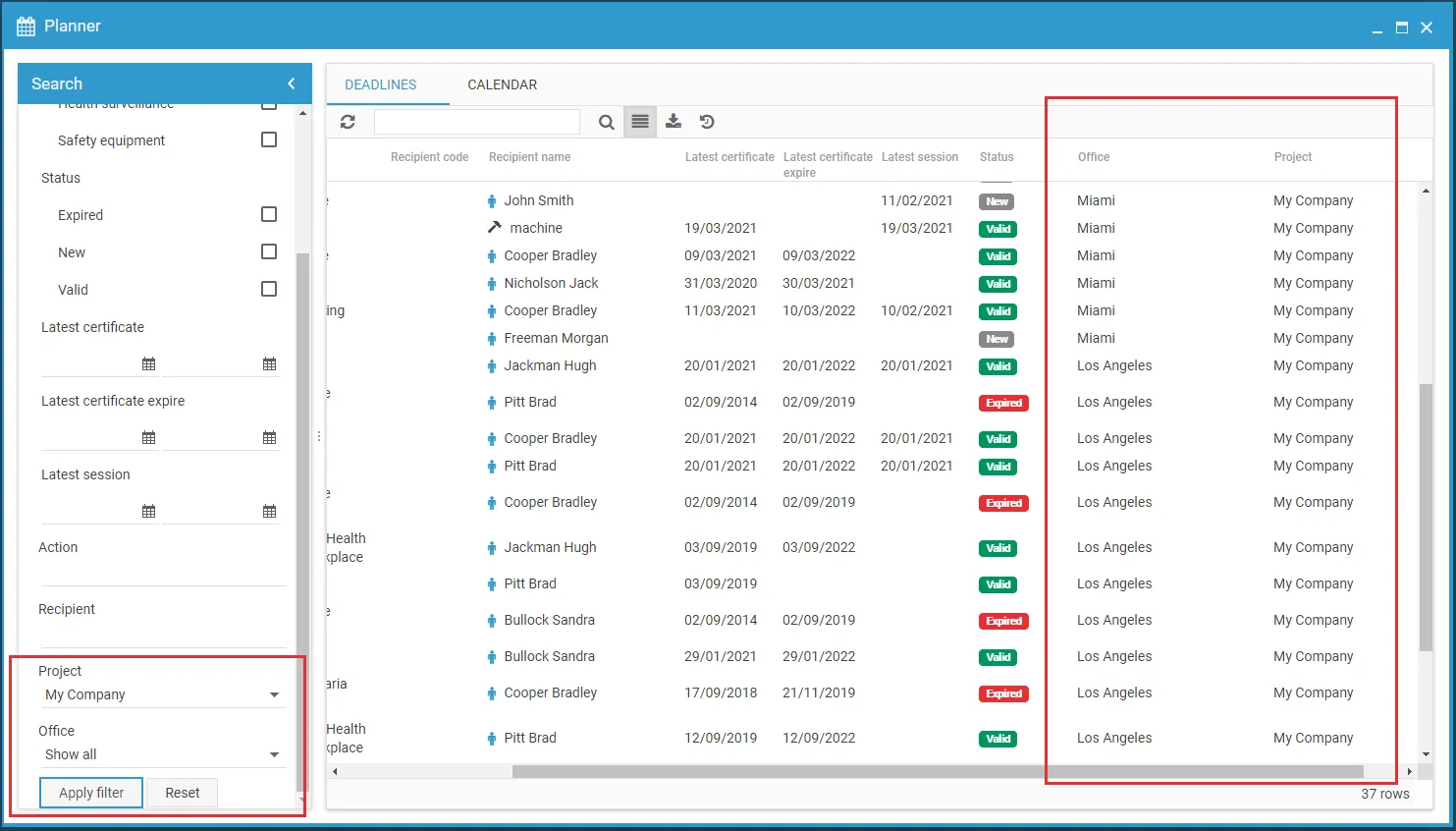
Columns of the deadlines list
Section titled “Columns of the deadlines list”| Column | Contents |
|---|---|
| Type | icon of the action type |
| Code · Name | of the action |
| Recipient icon | what the recipient is: a person, equipment, an environment, a substance |
| Recipient code · Recipient name | |
| Last session | date of the most recent session |
| Expiry | expiry date of the certificate |
| Next date | next scheduled session, if any |
| Status | see Statuses |
This site is protected by reCAPTCHA and the Google Privacy Policy and Terms of Service apply.