

Create a widget
A widget is created from the file system, where it will also live. See Widgets for what a widget is and when to use one instead of a form.
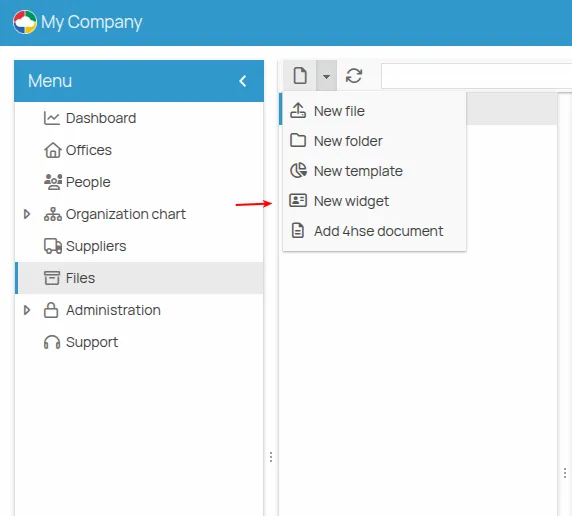
- Open the file system of the office or project.
- Click New widget. A window opens for creating and editing it.
- Blank template — contains only a layout component;
- Vertical form — for forms with input fields stacked vertically;
- Inline form — for content organised horizontally;
- Form — an example template for building a checklist.
- Compose the widget in the editor: see The widget editor.
- Save.
The widget is saved as a file with the .hf extension. To use it, see
Run and fill in a widget.
This site is protected by reCAPTCHA and the Google Privacy Policy and Terms of Service apply.