

Edit a widget
- Open the file system and find the widget, the file with the
.hfextension. - Select it and click the pencil icon in the toolbar, or right-click it and choose Edit.
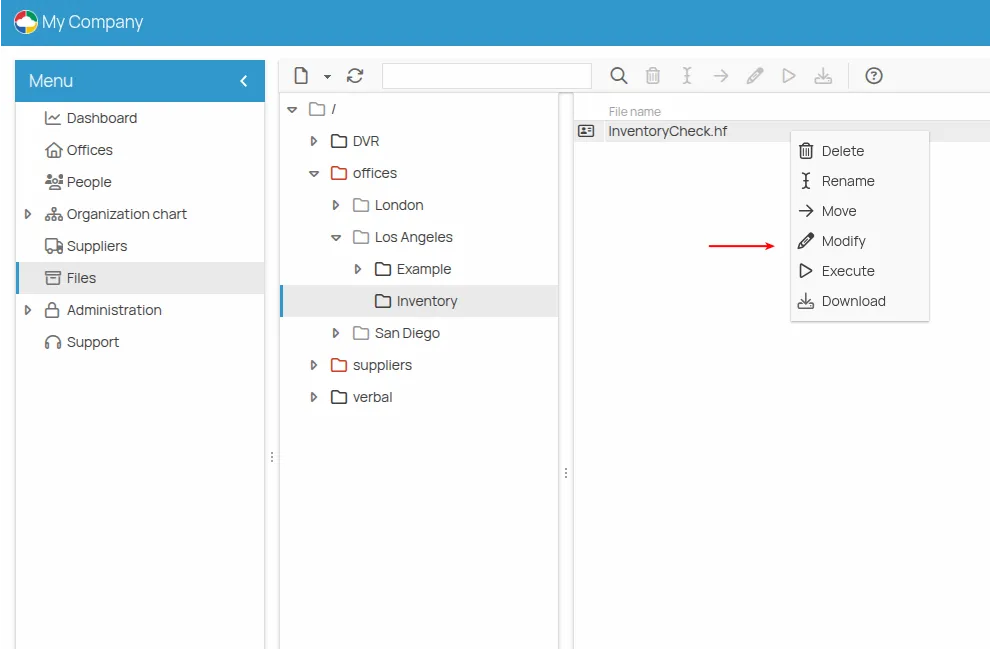
The editor opens with the widget loaded, ready to be changed. See The widget editor for the panels, and The widget layouts for arranging the content.
Editing the .hf template does not change the .hc copies already filled in and saved: see
The .hf and .hc files.
This site is protected by reCAPTCHA and the Google Privacy Policy and Terms of Service apply.