

Scheduler and notifications
Every certificate carries an expiry date. The scheduler is where all those dates converge, and the notifications are how they reach you without you having to go and look.
Several ways in
Section titled “Several ways in”The scheduler exists at several levels, with the same interface and a different scope.
- The person scheduler, from a worker’s record, shows the deadlines of that one individual.
- The office scheduler, from the office menu, shows the deadlines and the scheduled activities of that office.
- The desktop scheduler, from the icon on the desktop, gathers them across several projects and offices. If you manage more than one company, this is where you see everything and filter down to the one you care about; if you manage a single project, it shows all its offices together.
Only the breadth changes: the interface and the filters are the same everywhere.
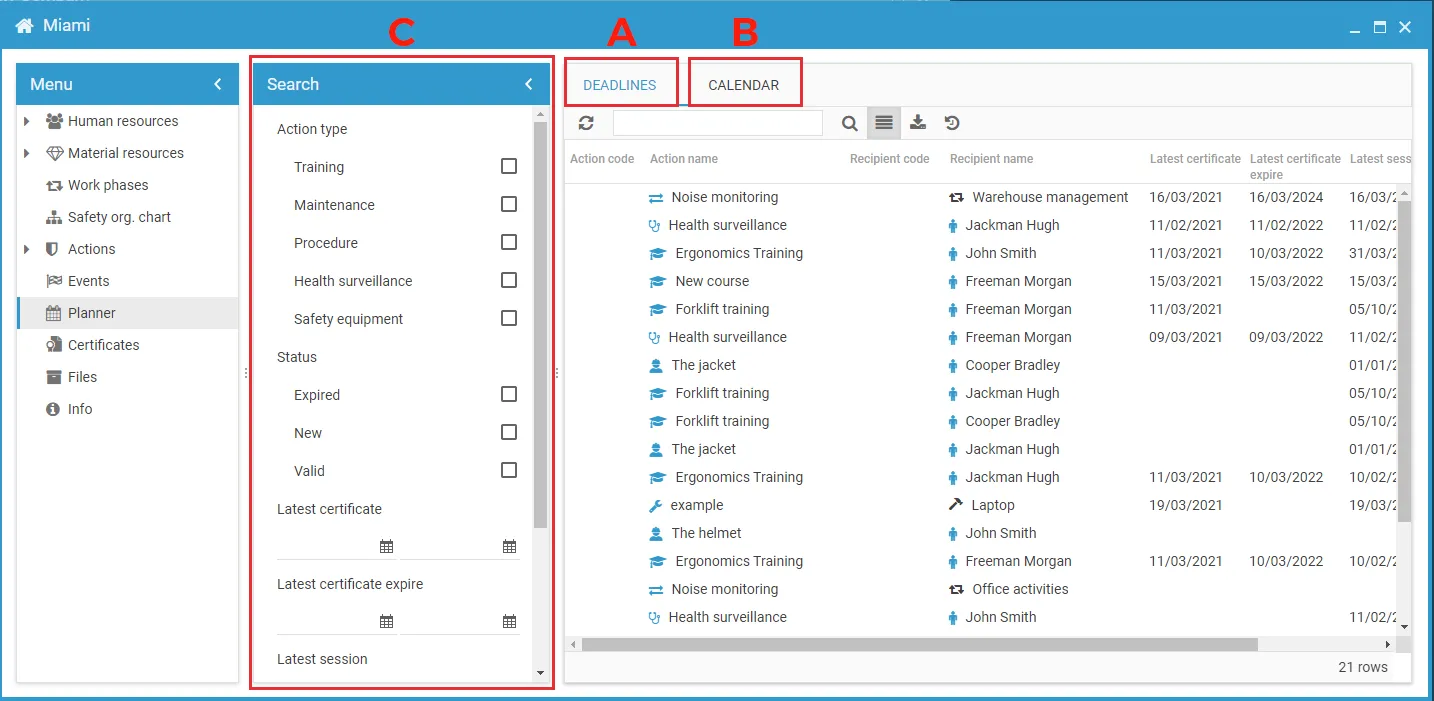
Two tabs
Section titled “Two tabs”- Deadlines — the list of what is due, produced by the prevention actions.
- Calendar — when the planned activities are supposed to happen, in a daily, weekly, monthly or agenda view.
The filters on the left apply to both — see Scheduler filters and columns.
Deadlines, notifications and digest
Section titled “Deadlines, notifications and digest”Three things that are easy to confuse, and that answer different questions.
| What it is | Where it is configured | |
|---|---|---|
| The scheduler | the list of everything that is due | nothing to configure |
| Notifications | single messages triggered by an event, such as an approaching expiry | on the project, per action and per role — see Enable notifications |
| The digest | a periodic email summary of what is due or overdue | a personal preference — see Configure the digest |
Notifications are sent on the basis of the functional role a user holds on a specific action — recipient, assignee, observer, manager — and not on their general role in the project. Someone can be a project admin and receive nothing, because they hold no role on any action.
What decides a deadline
Section titled “What decides a deadline”The status of every row comes from the certificates that have been issued, and their expiry. It is the same status shown on the recipients of an action — see Statuses.
This site is protected by reCAPTCHA and the Google Privacy Policy and Terms of Service apply.