

Creating Projects and Operational Functions
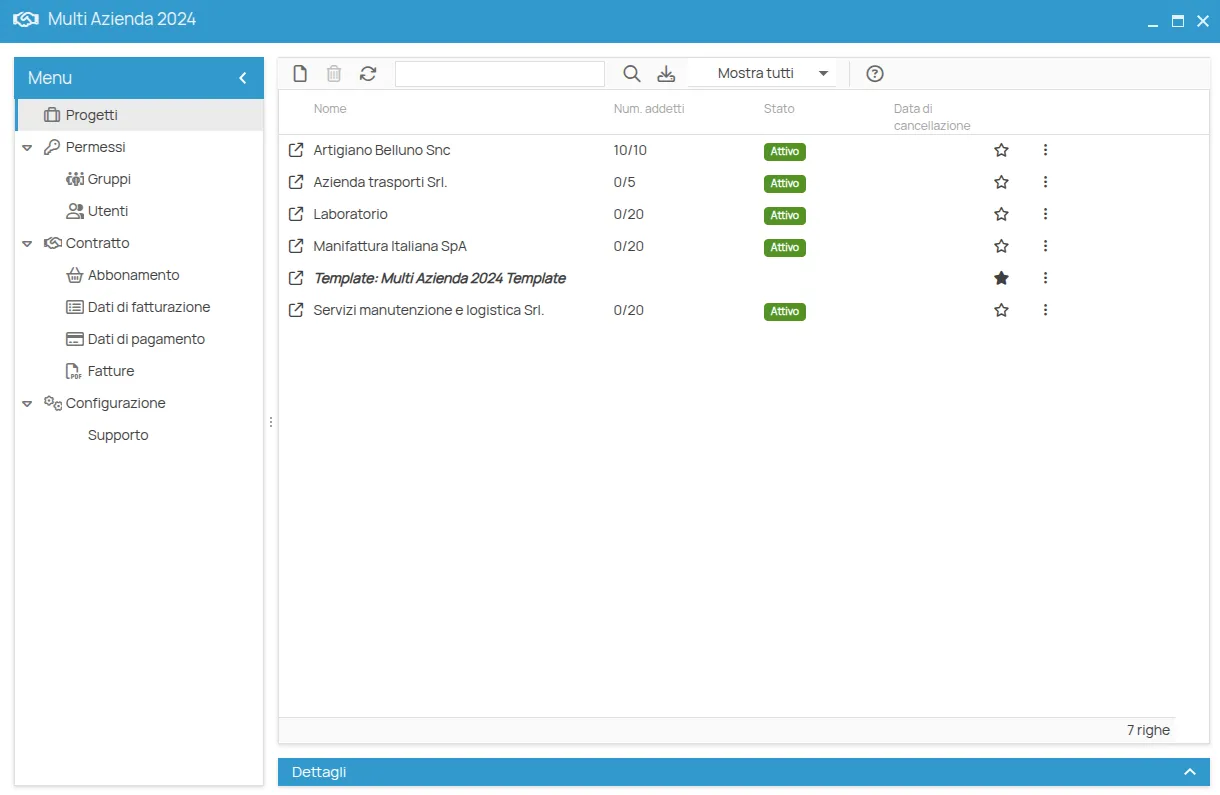
The Multi Company Panel allows centralized management of all companies and associated projects, providing dedicated tools to administer clients, users, and subscription data.
Accessing the Panel
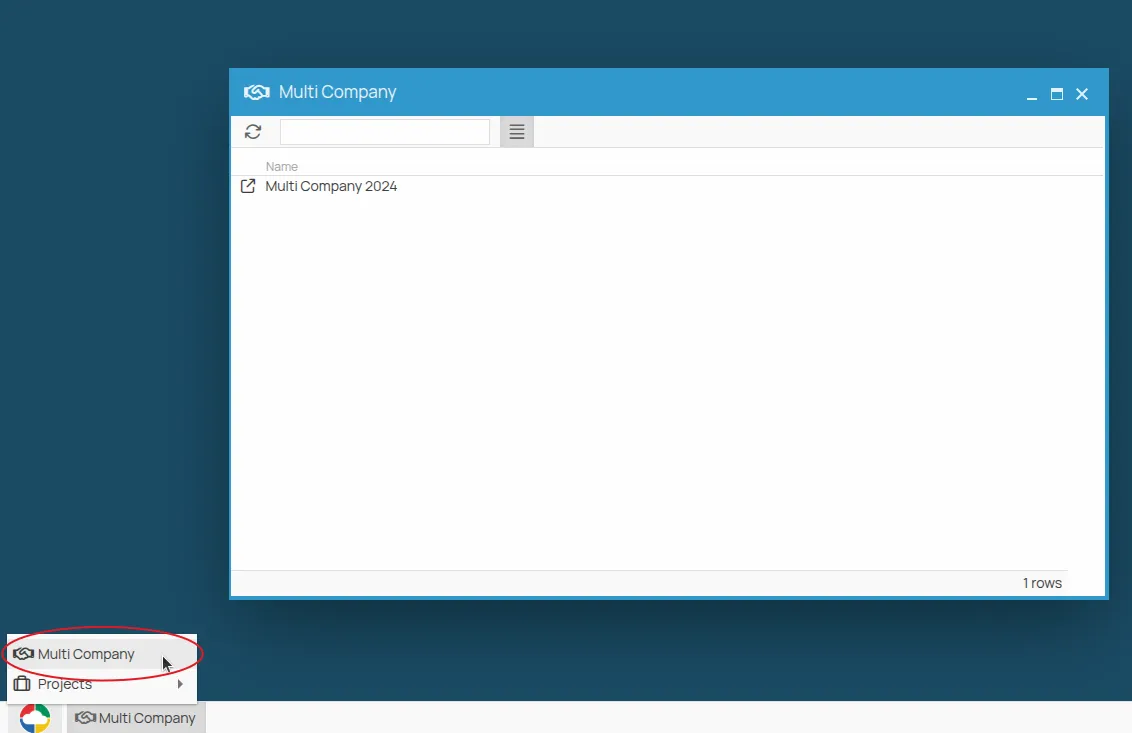
Section titled “Accessing the Panel”The Multi Company Panel is directly accessible from the Start menu of the 4HSE platform. Access is restricted to authorized users with appropriate permissions, according to the profiling rules defined within the panel.
Managing Clients and Projects
Section titled “Managing Clients and Projects”Within the panel, it is possible to:
- Add new projects, automatically linked to the Multi Company plan,
- Monitor project status, including activation and the number of employees for each project.
Managing Users and Roles
Section titled “Managing Users and Roles”The panel allows you to:
- Add users who can access all projects,
- Assign permissions to define responsibilities and access limits.
Managing Billing and Subscription Data
Section titled “Managing Billing and Subscription Data”Through the Multi Company Panel, you can:
- Enter and update billing and payment information. After entering, it may take a few minutes for changes to take effect.
- View invoice reminders, while electronic invoices remain available in the tax drawer.
- Consult subscription data and open support tickets directly with the 4HSE technical team.
Creating Multi Company Projects
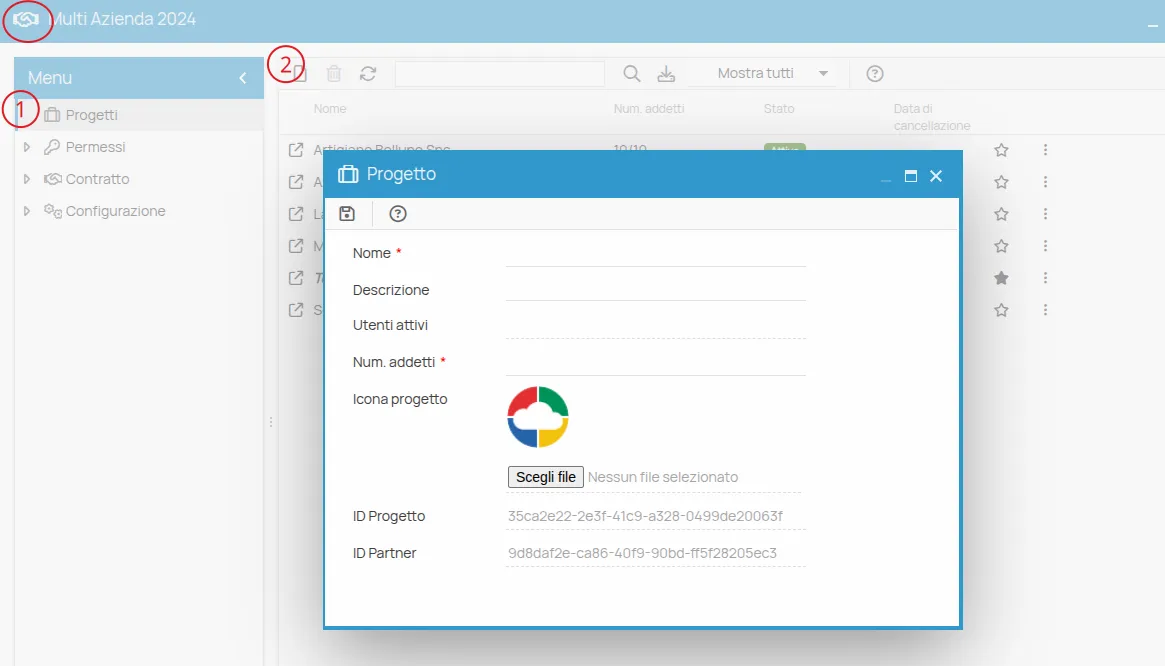
Section titled “Creating Multi Company Projects”Creating new projects in the Multi Company Panel is a function reserved for users with the Admin role. The first user with this role is enabled directly by the 4HSE technical support at the time of Multi Company Panel activation. Users with the Manager role can operate on all existing projects, but do not have the privilege to create new ones.
To enable additional users as Admins, there must already be at least one administrator in the panel. If the first Admin is not present or the Multi Company Panel is not yet active, you must contact technical support to request activation.
WARNING
Section titled “WARNING”Projects created outside the Multi Company Panel — via the desktop tool or the “Try Now” link on www.4hse.com — will not be linked to the Multi Company plan.
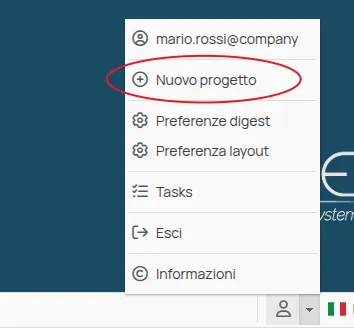
These projects are Corporate, valid for a single VAT number corresponding to the invoice holder. Corporate projects open in TRIAL status and, if not activated properly, will be suspended after 15 days and deleted after 90 days, according to the Terms of Service. Furthermore, access to these projects is not shared with users authorized in the Multi Company Panel, making manual addition necessary.
Access to Multi Company Project Templates
Section titled “Access to Multi Company Project Templates”Multi Company projects also include a template project, designed as a reference model with pre-filled data. The template allows users to create new elements within the project by copying existing information using the Copy tool (see Copy Elements). Users assigned to projects linked to the Multi Company Panel can access the content of the templates.